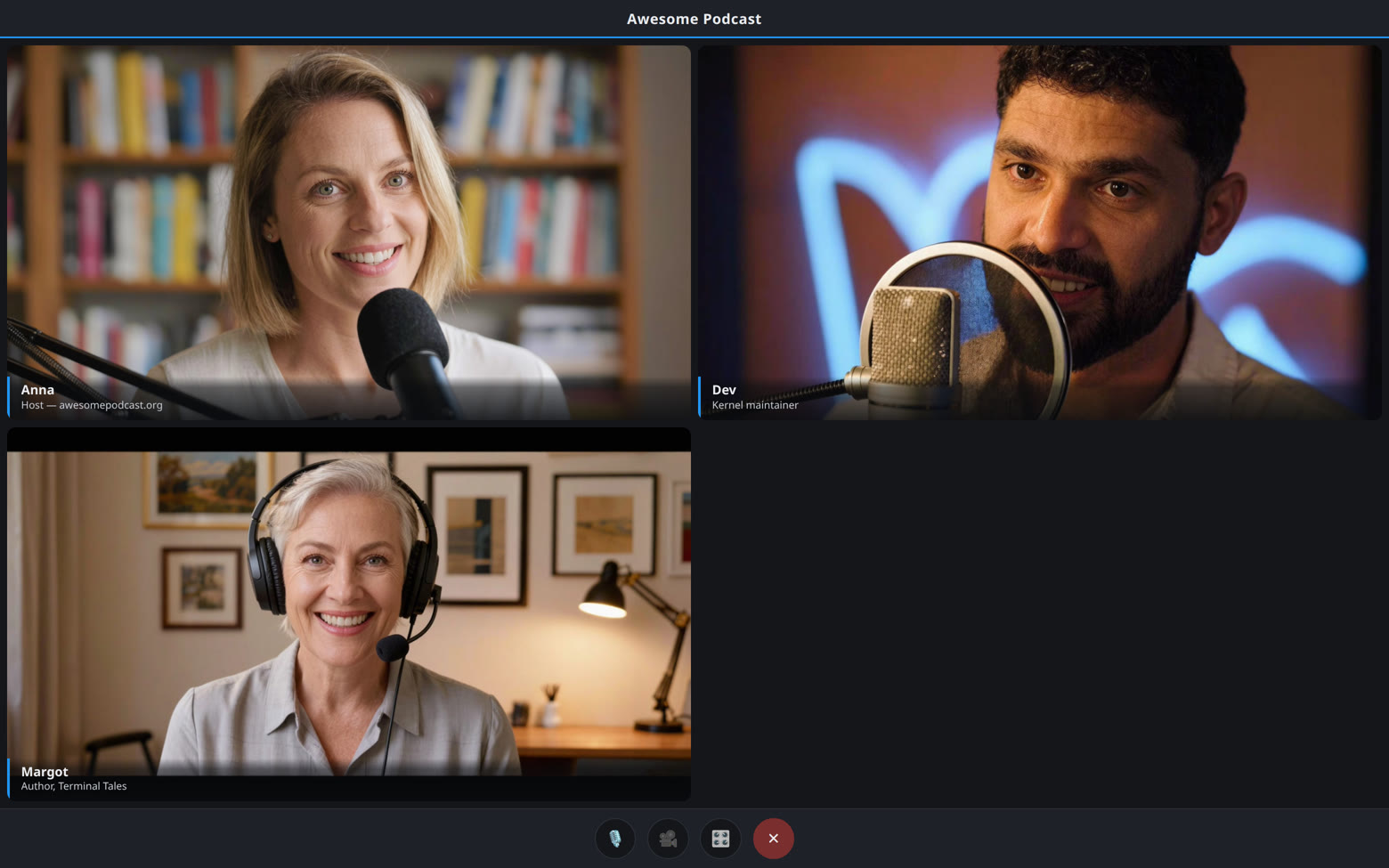
A podcast, or a meeting
GUESTS / HOSTS / RECORDINGThe same room, either way
A podcast and a meeting are the same thing until the end: a link, people talking, a recording. What differs is what you do with the files - publish them, or keep them. The studio is built for both and runs on hardware you control, so the only copy of the conversation is the one on your own disk.
- Nobody needs an account, and nobody is asked for an email address
- No charge per seat and no time limit on a session
- The recording lands on your server and goes nowhere else
- No attendance report, no transcript sent away, no terms that change next year
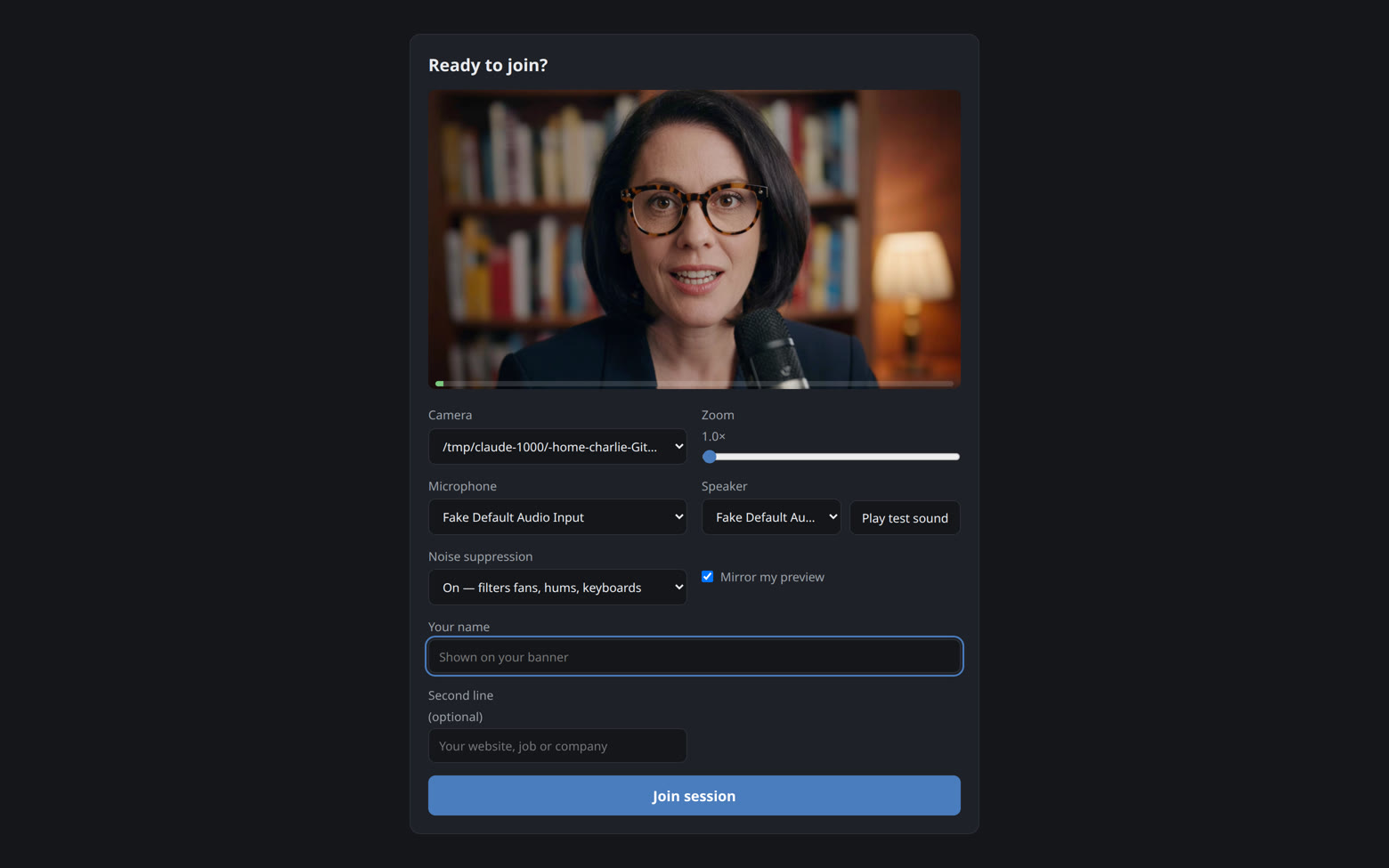
Guests just join
Send one link to a guest or a colleague. They pick camera, mic and speaker, hear a test sound, watch their level bounce, zoom their camera if they like, and click join - arriving muted, so there are no accidental hot mics.
- No account, no install, phone-friendly
- RNNoise noise suppression on by default
- Camera zoom: real lens zoom where the camera supports it
- Choices remembered for next time
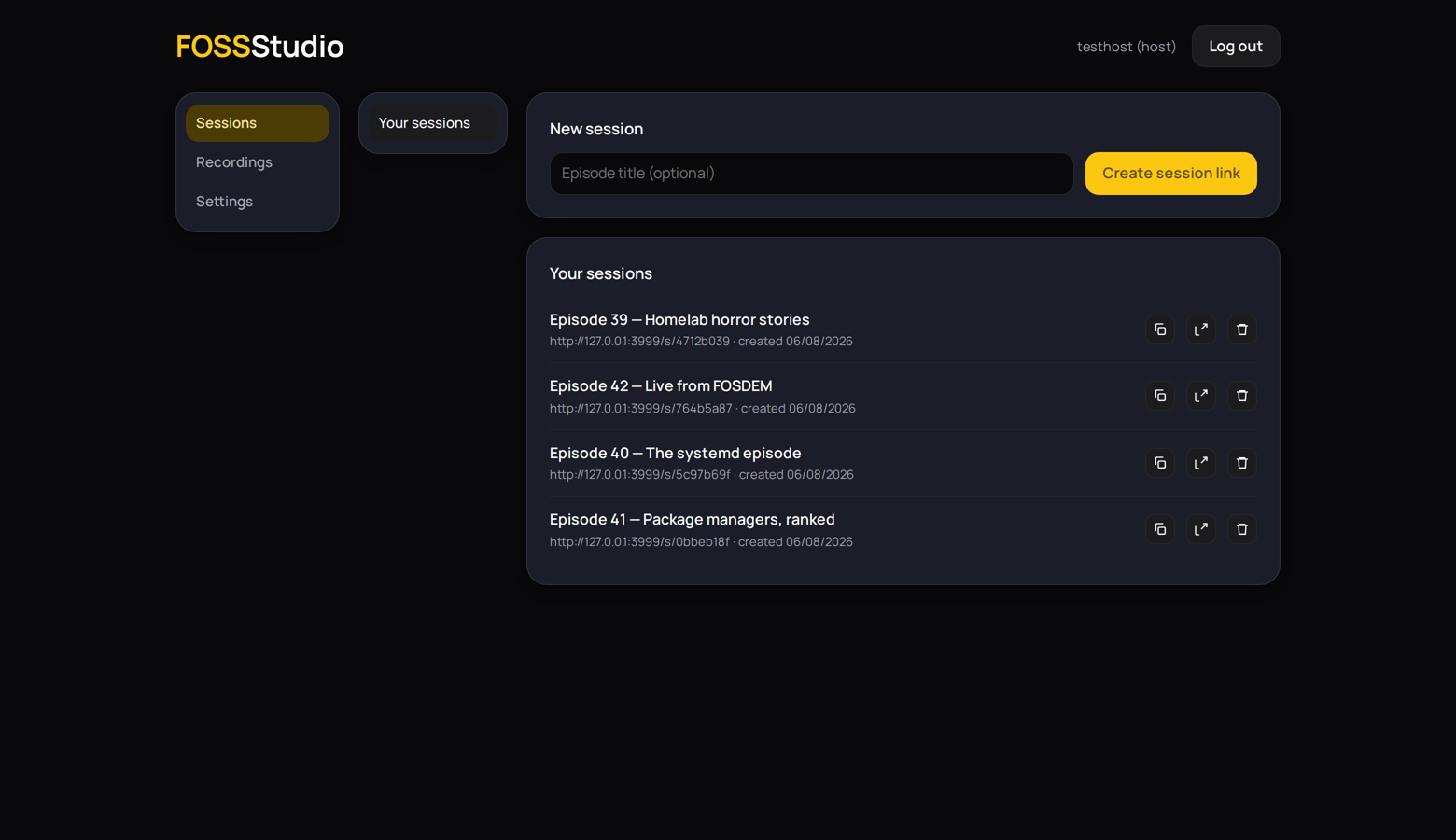
The host runs the room
A panel only the host sees: record, spotlight whoever is talking, balance quiet and loud voices, mute one person or everybody, put a subscribe reminder or your own banner on screen. Every control explains itself from a little info dot.
- Grid or spotlight, applied to every screen
- Backdrops switch mid-session: a flat color, your wallpaper, or six layouts the browser generates from your logo on the spot
- Set anybody's volume, or let the automatic levelling even out the room
- Overlays appear for everyone and stay in the recording at the moment you fired them
What you see is what records
The video of everyone is the picture people were on: every tile in the same order, the name banners, the logo and title exactly where you dragged them, the spotlight when you spotlit someone. The host's browser draws it as it happens, so the server is handed a finished file and never opens it. The screen and the recording share one geometry, and a test holds them to it.
- One video of everyone, drawn and encoded in the host's browser
- If you want them, a track and a camera per person, served exactly as their browser recorded them, always the full length of the take
- About 1.4 GB per person per hour for WAV, about 58 MB for Opus - added up on the settings screen before you record
- Rename, preview, download - per file or zipped bundles
The output link
OBS / SECOND SCREENA clean picture of the room, on its own URL
Every session has a second link with no join screen and no controls: just the session, drawn the same way the recording is. Add it to OBS as a browser source and it goes wherever OBS can send it - a streaming platform, a screen in the room, a second computer for the people watching but not speaking.
- Invisible to everyone in the session: no tile, no name, no notice
- Receive-only at the server, so it can never be heard or recorded
- Capped separately from guests, so an output can never take a seat
- Copy it from the session row in the dashboard
Blocking, for when a link travels
A session link that has been shared openly sometimes brings somebody who should not be there. Every guest's row in the host panel has a block button: one click arms it, a second removes them and bars them from every session on the server, matched by address and by a marker their browser carries.
- Reversible from the dashboard in one click
- Every block and unblock logged server-side
- The stored address never reaches any browser
- Honest limit: a fresh network and a cleared browser can get past an address block - this stops the casual repeat offender
Everything in the box
NO DATABASE / NO TRACKERSCamera zoom
Guests zoom right on the preview screen: real lens zoom where supported, crop-zoom everywhere else. Rare even in the paid tools.
A track each
Everyone is recorded in their own browser, and every track is the full length of the take - somebody who joins late, or drops out and comes back, still lines up with the rest with nothing to drag. You choose whether to keep them at all, and what they are: WAV is about 1.4 GB per person per hour, so four people for two hours is over 11 GB, and Opus is about 58 MB. The settings screen adds it up before you record.
View-only output
Every session has a second link with no controls: a browser source for OBS, or a clean second screen. Invisible to guests, never recorded.
Ten in a room
Ten people on screen, plus up to four view-only connections. No charge per seat, and no time limit on a session. The media engine (mediasoup) forwards video rather than decoding it.
No database, no media tools
Flat JSON files in one folder, and nothing on the server that opens a recording. Back it up, export it as a zip, restore it with a click. Daily backups built in.
Nothing leaves the machine
No analytics, no tracking, no crash reports, no update check, no CDN, no cookies for guests, nothing fetched from another domain. Even the font is served from your own server - this page included. The exceptions are yours to switch on: see what leaves the server.
Your studio, one login
An install belongs to one person: one login for the sessions, the recordings, the look and the box itself, lockable with a passkey and a second factor. Guests and colleagues need no account at all.
Strict-network friendly
A built-in relay, running on your own server, gets people through corporate and mobile networks. No third party's relay is ever used.
Installable dashboard
The dashboard installs like an app and can nudge you when a guest arrives or a recording is ready, if you let it. Settings save themselves as you type.
Operable by humans
Daily backups with tested restore, rollback deploys, and a plain-language runbook for the rare terminal case.
Install: paste one file
DOCKER COMPOSE- Point your domain at a Linux server running Docker.
- Save the file as
docker-compose.yml. There is nothing in it to fill in. docker compose up -d.- Open your domain and choose a password. There is no code to find - the first person to open it claims it.
Opening the ports, turning HTTPS on, using your own proxy, or running it on Tailscale: the install notes take it slowly, with worked examples. They also say when the code is asked for - a studio opened in a browser on the machine it is running on skips it and goes straight to choosing a password.
# FOSSStudio. Save as docker-compose.yml, then: docker compose up -d
#
# Nothing to fill in. Open your domain and choose a password: the first
# person to open a studio nobody owns yet claims it. Do it as soon as it
# is up - until you have, whoever reaches the address first could claim
# it instead. https://fossstudio.org/install.html#code
#
# HTTPS is compulsory - browsers give no camera without it - and the
# Caddy block below is one way to get it. What every line here means,
# and what to do if you already run nginx or use Tailscale:
# https://fossstudio.org/install.html

services:
  app:
    image: ghcr.io/lightmorphic/fossstudio:latest
    restart: unless-stopped
    environment:
      BIND_HOST: "0.0.0.0"
    # Host and container ports must match: the media engine tells guests
    # which port to send to.
    ports:
      - "3000:3000"
      - "40000-40003:40000-40003/udp"
      - "40000-40003:40000-40003/tcp"
    volumes:
      - fossstudio_data:/data
    healthcheck:
      test: ["CMD", "node", "-e", "fetch('http://127.0.0.1:3000/healthz').then(r=>process.exit(r.ok?0:1)).catch(()=>process.exit(1))"]
      interval: 5s
      timeout: 3s
      retries: 12
      start_period: 5s

  # HTTPS. Delete the "# " from this block, from the two caddy volumes
  # and from the whole configs: block, and change "3000:3000" above to
  # "127.0.0.1:3000:3000". Already running your own proxy? Leave it all
  # alone and point yours at 127.0.0.1:3000.
  # caddy:
  #   image: caddy:2-alpine
  #   restart: unless-stopped
  #   ports:
  #     - "80:80"
  #     - "443:443"
  #     - "443:443/udp"
  #   configs:
  #     - source: caddyfile
  #       target: /etc/caddy/Caddyfile
  #   volumes:
  #     - caddy_data:/data
  #     - caddy_config:/config

  # The relay, for guests behind a strict firewall. The studio writes its
  # settings into the data volume on every start, so nothing is set here.
  coturn:
    image: coturn/coturn:4-alpine
    restart: unless-stopped
    depends_on:
      app:
        condition: service_healthy
    ports:
      - "3478:3478/tcp"
      - "3478:3478/udp"
      - "49160-49189:49160-49189/udp"
    volumes:
      # Mounted whole and read-only rather than reaching for the turn/
      # folder inside it: picking a subfolder out of a volume is a recent
      # Compose feature, and some panels refuse a file that uses it.
      - type: volume
        source: fossstudio_data
        target: /studio
        read_only: true
    command: ["-c", "/studio/turn/turnserver.conf"]

volumes:
  fossstudio_data:
  # caddy_data:
  # caddy_config:

# configs:
#   caddyfile:
#     content: |
#       {
#         on_demand_tls {
#           ask http://app:3000/tls-allowed
#         }
#       }
#       https:// {
#         tls {
#           on_demand
#         }
#         encode zstd gzip
#         header Strict-Transport-Security "max-age=31536000"
#         reverse_proxy app:3000
#       }